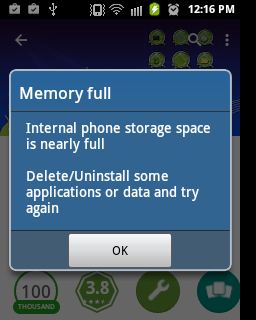
Overwhelming amount of data stored on your phone’s internal storage is the cause of “full storage space”. Using of more apps simultaneously leads to cache memory being blocked which also causes insufficient storage in your phone. With your phone always giving you motive that your phone has run out of space, it can get frustrating sometimes but there are some remedies that we explore that will free up some space on your phone.
Clear cache
Whenever your phone starts worrying you about memory being full, try clearing the cache memory of your phone and see if it will free up more space. Most at times, some apps can consume much storage space as cache memory. Google chrome is one of those apps that stores much cache information on your phone especially if use it frequently. So on the general note, I will recommend you clear the cache memory of your phone to free up more space on your phone.
Move Apps to Micro SD
This can also help as a great deal in deal with full storage space. Most apps consume high storage space so by moving them to your SD card it will help free up more space on your phone. You can also set it to default so your phone will automatically store apps on the Micro SD card whenever you install an app on your phone.
Google Photos
Google photos can also come in handy when you are utilizing means and ways to free up space on your phone. This is because you can back up all your photos on Google photos and then after that delete them on your phone, this way, you have free up much space that your pictures consume on your phone.
If all these doesn’t work, you have no other option than to go through all your important files and delete some that you think you don’t need that much. Hope this tips work out for you. Stay Safe.
 Kin's Technology Blog